
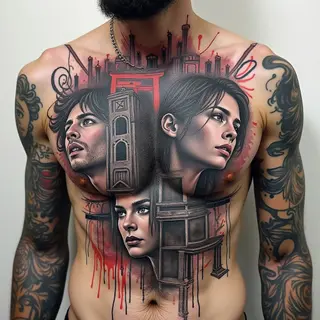
Photograph to Tattoo: A Guide
Transforming a cherished photograph into a lasting tattoo is a deeply personal decision. But it's more involved than just printing an image and inking it directly—it requires thought, adaptation, and often, working closely with a skilled artist.
The Challenge of Transferring Detail
Photographs are complex. Their intricate details don't always translate well to skin, which is a very different medium than photographic paper. The initial hurdle is simplification: you need to reduce the image’s complexity while still capturing its core essence.
Digital Tools for Preparation
Several digital tools can help with this process. Photo editing software, like Adobe Photoshop or GIMP, lets you adjust colors and tones—really fine-tune the image before it even reaches the artist. There are also line art converters that transform photos into simplified drawings; these aren't perfect copies, but they offer a solid base for further artistic development.
Choosing Your Tattoo Style
The style you choose dramatically impacts the process. A realistic portrait, for example, demands incredibly precise shading and detail work—a real test of skill. On the other hand, a minimalist approach focuses on essential lines and shapes, creating a more stylized look.
The Artist's Role
Your tattoo artist’s expertise is crucial. They can interpret your vision and adapt it to the unique challenges of tattooing on skin—it’s a canvas with its own limitations.
Communication is Key
Finally, talk openly with your artist. Discuss the style you want, where on your body you envision it, the size, and any concerns you have. Their experience will guide you toward a final sketch that respects both your memory and the art of tattooing.